Lens Employees in stealer logs are told privately. Admins never see their passwords.
Lens invites each affected employee to review their compromised credentials, change what's exposed and complete short security training. You see completion, not private data.
How it works
A non-judgemental, mobile-first experience
- sarah.chen@company.comPending
- m.rodriguez@company.comPending
- j.kim@company.comSent
- alex.wong@company.comCompleted
Send Lens invites
When DarkStrata detects employees in stealer malware logs, notify them. Send invites manually with a single click, or configure automatic sending with rule-based controls.
- Send invites individually or in bulk with one click
- Enable automatic sending when new exposures are detected
- Target specific groups with tailored notification rules
- Auto-resend to users who haven't completed their review
Verify identity
Users receive a private invite via email. They confirm their identity by entering their email address to access their personal review.
Review compromised credentials
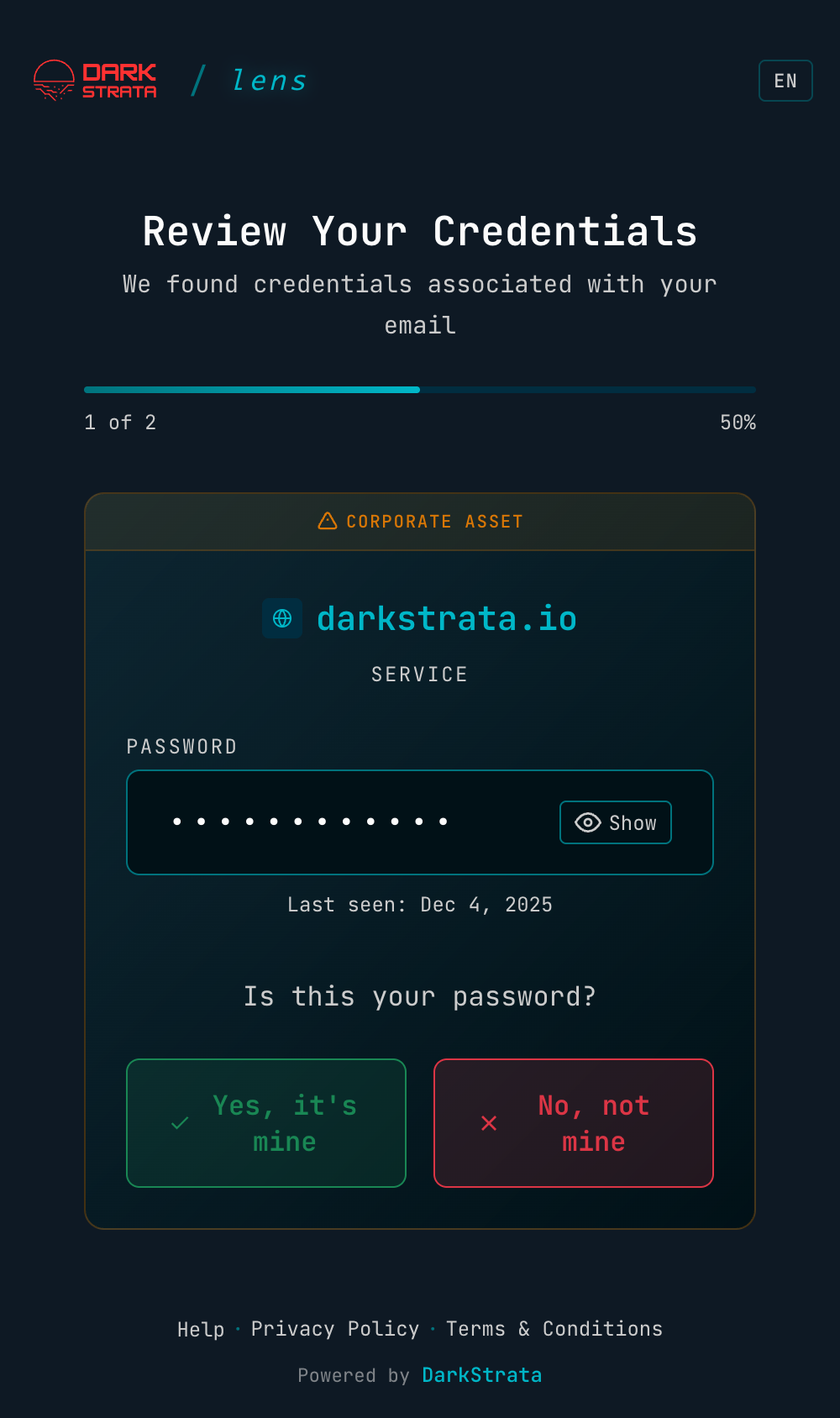
Check each leaked password one at a time. Lens says where it leaked from and flags supplier logins (like Salesforce) that only the employee can reset. Reveal the password if needed, then say whether it's yours.
Change your passwords
Lens generates a strong replacement (three random words, following NCSC guidance) ready to copy, and each person marks the account as changed. Admins only ever see completion status, never the new password.
Complete security training
Quick, bite-sized training on password hygiene, two-factor authentication, avoiding malware and the future of passkeys. It takes just a few minutes.
Built for UK GDPR: private by design
Handle credential leaks without invading anyone's privacy
What your admins see
- Who has been sent a Lens invite
- Whether each person has completed their review
- Aggregate completion metrics
Never their passwords, which services were compromised, or individual responses.
What only the employee sees
- Each compromised account and the service it belongs to
- The exposed password, revealed only if they choose
- Whether it's a corporate account or a supplier login only they can reset
- A strong replacement password and short security training
A credential leak is personal data about a person, not just a security event. Following UK GDPR's data minimisation principle, Lens leaves no second copy of the secret inside your organisation to protect, audit or explain.
Security awareness stops being surveillance and becomes a service to staff. You report completion rates to the board, not screenshots of passwords.
Make it yours
For enterprise customers, DarkStrata can be fully white-labelled to match your organisation's identity. Your team sees your brand, which builds trust and makes clear it's an official company platform.
Custom colour themes
Match your brand colours throughout the entire experience.
Your logos
Show your company logo so users immediately recognise the source.
Custom domain (CNAME)
Host it on your own subdomain, such as security.yourcompany.com
Your team sees:
Sign in
Verify your identity to continue
- Your domain
- Your logo
- Your colours and type
A seamless, branded experience that builds trust.
Empower your team to take control
Automatic notifications with built-in security training